> ## Documentation Index
> Fetch the complete documentation index at: https://developers.staging01.melio.com/docs/llms.txt
> Use this file to discover all available pages before exploring further.
# Email communication
> The emails Melio sends to the business in different cases, and how you can configure them.
In some cases Melio emails the business (the payer) directly. This page lists those cases and how the emails can be configured to match your brand and flow.
## When Melio emails the business
| Case | Trigger | What the email says |
| --------------------- | --------------------------------------------------------------------------- | ------------------------------------------------------------------------------------------------------------------------------------- |
| **Missing documents** | Melio needs more information to complete verification of the business (KYB) | Asks the business to provide the missing documents. |
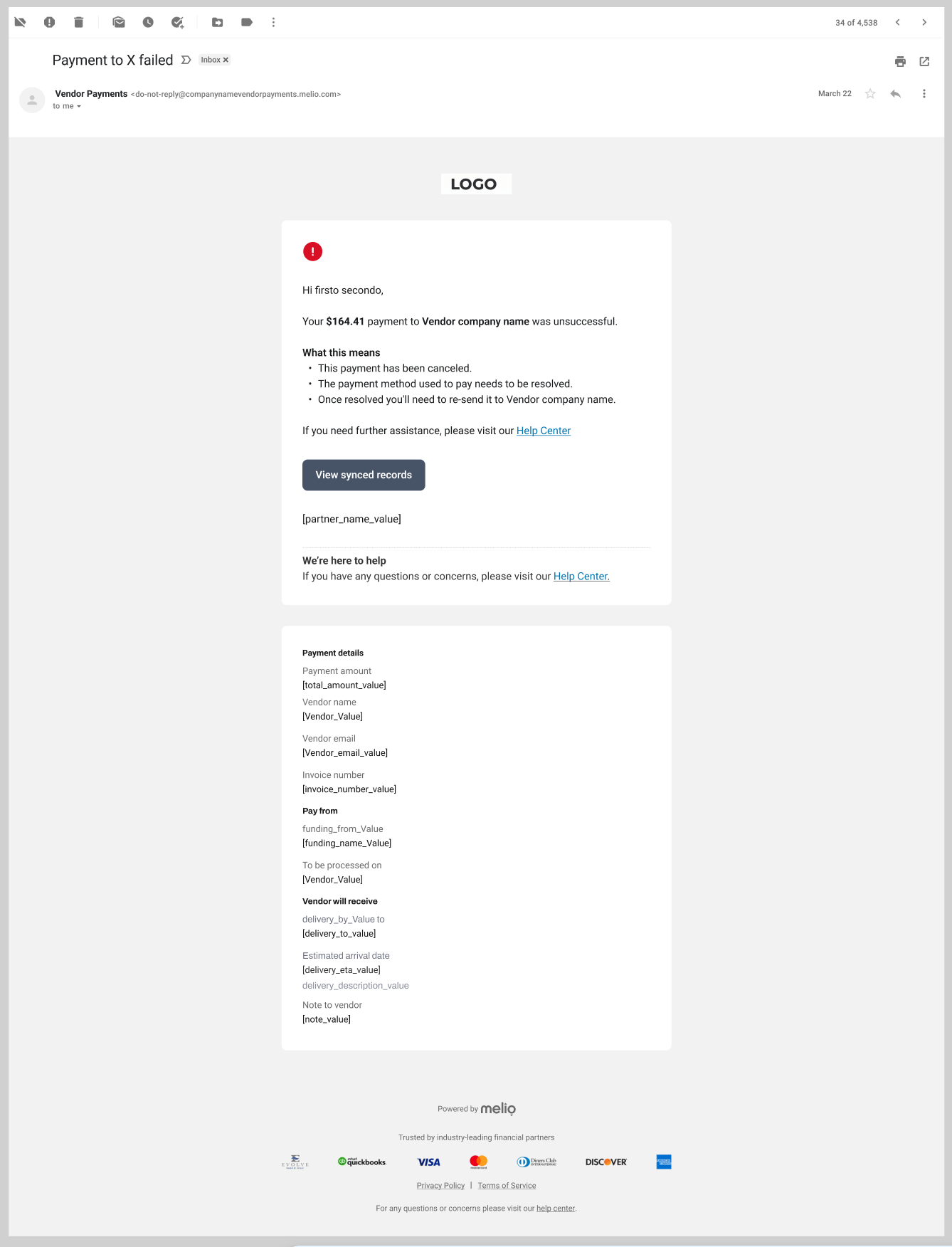
| **Payment failure** | A payment fails | Explains the failure. For a delivery failure, it confirms the funds are being refunded to the funding source and the expected timing. |
| **Disputes** | A dispute is raised on a payment | Handled through Melio support. |
## Example
A payment-failure email, white-labeled with the partner's logo and branding:
 ## Configuring the emails
These emails can be configured in different ways to match your brand and flow. You can customize:
* **Logo and colors**
* **Sender domain**
* **Text and copy**
* **Links** (for example, help or support links)
You can also ask Melio to control **which** emails are sent. In some cases you may prefer to handle a notification yourself (for example, sending your own payment-failure email) rather than have Melio send it.
During the beta, email configuration is handled manually - tell your Melio contact how you want the emails branded, worded, and which ones should be sent, and we set it up. Self-serve configuration comes later.
## Emails Melio always sends
Some communications are issued by Melio directly and are not white-labeled, for compliance reasons. For example, the payment receipt is issued by Melio to the payer against every payment (see [UI requirements](/docs/docs/ui-requirements)).
## Configuring the emails
These emails can be configured in different ways to match your brand and flow. You can customize:
* **Logo and colors**
* **Sender domain**
* **Text and copy**
* **Links** (for example, help or support links)
You can also ask Melio to control **which** emails are sent. In some cases you may prefer to handle a notification yourself (for example, sending your own payment-failure email) rather than have Melio send it.
During the beta, email configuration is handled manually - tell your Melio contact how you want the emails branded, worded, and which ones should be sent, and we set it up. Self-serve configuration comes later.
## Emails Melio always sends
Some communications are issued by Melio directly and are not white-labeled, for compliance reasons. For example, the payment receipt is issued by Melio to the payer against every payment (see [UI requirements](/docs/docs/ui-requirements)).